

If you’ve ever ended a workday hunched over your laptop with stiff shoulders, a sore neck, or an aching lower back, you’re not alone. The rise of remote work over the past few years has brought incredible flexibility, but it has also introduced a hidden health cost: persistent posture and joint discomfort. Many home-based workers unknowingly adopt habits that strain their bodies, leaving them fatigued, in pain, and less productive over time.
Recent studies reveal that nearly 88% of remote workers report musculoskeletal discomfort, with neck, shoulder, and lower back pain topping the list. These issues are often linked to improvised work setups, prolonged sitting, and minimal movement during the workday. While the problems may seem minor at first, they can compound over months and years, leading to chronic conditions that affect quality of life.
The good news is that many of these problems are entirely preventable and manageable without expensive equipment. Simple adjustments, movement routines, and awareness practices can dramatically reduce discomfort and protect your joints for the long term. In this post, we’ll break down the most common posture and joint issues facing home-based workers in 2024–2025, identify frequent workspace mistakes, and provide actionable, evidence-based strategies you can implement immediately. Whether you’re working fully from home, part of a hybrid setup, or looking ahead to 2026, this guide will help you create a healthier, more comfortable work environment starting today.
Section I — The Anatomy of a Home-Based Worker’s Pain
Working from home sounds comfortable in theory, but without proper ergonomic support, your body can pay a steep price. Understanding how pain develops is the first step toward fixing it.
Common Posture Issues

Forward head posture, where the head juts forward toward the screen, is one of the most prevalent problems among home-based workers. This often comes paired with rounded shoulders and upper back strain. Leaning over a laptop or smartphone for extended periods increases tension in the neck and upper back, contributing to headaches, shoulder stiffness, and even numbness in the arms.
Another common issue is slouching or hunching over chairs without adequate lumbar support. Low back pain is frequently reported by remote workers who spend long hours sitting on dining chairs, couches, or beds. Without support, the spine loses its natural curvature, causing the surrounding muscles and joints to overcompensate.
Joint Pain Patterns
Joint discomfort isn’t limited to the neck and back. Wrist and elbow pain can develop from repetitive typing and mouse use, especially when hands are improperly positioned. Hips and knees also experience strain when sitting for long periods, particularly if chair height isn’t adjusted correctly or feet dangle without support. Over time, this can reduce joint mobility and increase the risk of chronic musculoskeletal conditions.
Why These Occur
Many home offices are improvised. Workers often lack adjustable chairs, desks, or monitors, which forces the body into awkward positions. Coupled with long hours of uninterrupted work and minimal movement, the risk of pain escalates.
By understanding these patterns, you can begin to identify which habits contribute to your discomfort. Awareness is key: once you recognize the problem, implementing simple, practical solutions becomes much easier.
Section II — Common Home Office Setup Mistakes That Hurt Your Body
Even a small adjustment to your workspace can significantly reduce strain—but only if you know what to fix. Many home-based workers unintentionally make setup mistakes that increase stress on muscles and joints.
Mistake 1: Using Improvised Seating
Working from a couch, bed, or dining chair may feel convenient, but these options rarely provide sufficient support. Improper seating can strain the lower back, hips, and shoulders. Over time, poor support contributes to chronic discomfort.
Mistake 2: Screens Placed Too Low or Too High
Laptop screens often sit below eye level, forcing workers to tilt their heads downward. This forward head posture strains the neck and upper back. Conversely, monitors placed too high can create tension in the shoulders and trapezius muscles.
Mistake 3: Laptop-Only Setups
Many workers rely solely on their laptop keyboard and trackpad, which can lead to awkward wrist angles, cramped shoulders, and limited mobility. Over time, repetitive strain injuries, such as carpal tunnel syndrome, become more likely.
Mistake 4: Skipping Movement Breaks
Without reminders, home-based workers can remain seated for hours at a time. Prolonged static posture increases stiffness in the neck, back, hips, and knees, and reduces circulation, compounding joint stress.
Actionable Fixes
Monitor at Eye Level: Stack books or use a laptop riser to align the top of your screen with your eyes.
External Keyboard and Mouse: This prevents wrist strain and allows elbows to rest comfortably at 90 degrees.
Movement Reminders: Set timers to stand up and stretch every 30–45 minutes. Simple alerts can prevent prolonged static posture.
By auditing your workspace for these common mistakes, you can create a foundation that supports better posture and healthier joints.
Section III — Practical Posture and Joint Health Solutions You Can Do Today
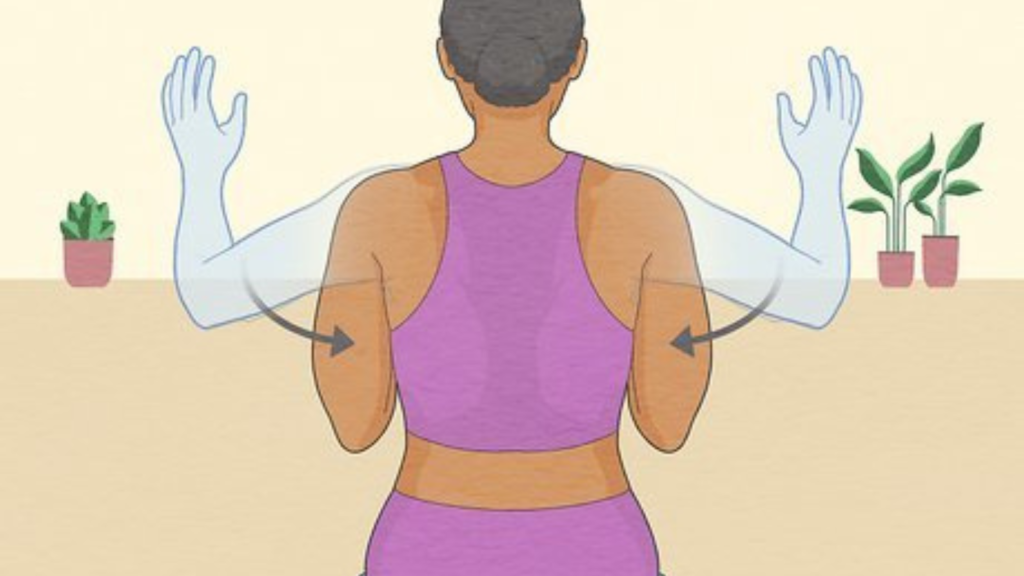
The best news is that you don’t need fancy equipment to start feeling better. Small, consistent adjustments to your habits and environment can make a huge difference.
Setup Adjustments
Chair and Desk Alignment: Adjust your chair height so that your knees are roughly level with your hips, and your feet rest flat on the floor or a sturdy footrest.
Lumbar Support: Use a small pillow or rolled towel to support the natural curve of your lower back.
Monitor Positioning: Place your screen at eye level and about an arm’s length away. This helps reduce forward head posture and shoulder strain.
Micro-Break Practices
Movement is essential for maintaining joint health. Incorporate 2–3 minute breaks every 30–60 minutes to stretch and reset your posture. Recommended exercises:
Neck Circles and Shoulder Rolls: Loosen tension in the upper back and neck.
Wrist Stretches: Extend your arms and gently pull back each finger to reduce strain from typing.
Hip and Knee Mobilization: Stand up and gently bend or rotate your knees and hips to improve circulation and reduce stiffness.
Positional Reminders
Timers and Apps: Use simple phone timers or apps to remind you to check your posture and take breaks.
Visual Cues: Place sticky notes on your monitor or desk as a prompt to “sit tall” or “stretch now.”
Habit Stacking: Pair micro-breaks with routine tasks, such as drinking water or checking messages, to make them easier to remember.
These habits are easy to implement today and do not require financial investment. Over time, they can significantly reduce pain and prevent long-term joint problems.
Section IV — Evidence-Based Ergonomics: What Research Tells Us
Understanding which practices are supported by research can help you prioritize what really works.
Key Findings
Prolonged sitting and poor ergonomic setups are strongly associated with musculoskeletal pain among remote workers. Studies show that awareness of posture and frequent movement breaks significantly reduce discomfort.
Simple adjustments, such as proper monitor height and neutral wrist alignment, are more effective than expensive chairs or standing desks in preventing strain.
Education alone can improve compliance with ergonomic practices, leading to measurable reductions in reported pain.
Practical Implications
Frequent Breaks Work: Even brief movement sessions every 30–60 minutes can protect joints and muscles.
Correct Alignment Matters: Aligning your head, shoulders, and spine reduces cumulative stress.
Behavioral Change is Key: Establishing consistent habits yields more long-term benefits than one-off fixes.
By following evidence-based guidance, you can focus on what really improves comfort and reduces the risk of chronic pain.
Section V — Long-Term Practices That Protect Your Body Over Time
While immediate fixes help today, long-term habits are crucial to maintaining posture and joint health over months and years.
Daily Movement Routine
Incorporate short mobility exercises into your day. Even 5–10 minutes in the morning or afternoon can keep joints flexible and muscles engaged. Focus on areas prone to stiffness: neck, shoulders, back, hips, and knees.
Weekly Strength Focus
Simple bodyweight exercises, such as planks, bridges, and hip hinges, help strengthen core muscles that support posture. Stronger muscles reduce the load on joints and help maintain alignment throughout the day.
Hybrid Planning
As hybrid work arrangements continue evolving into 2026, alternating standing and seated tasks offers additional health benefits. Standing for part of the day reduces cumulative sitting time and engages different muscle groups, helping to prevent repetitive strain.
Why This Matters
Ignoring posture and movement for months or years can compound stress on joints and muscles, increasing the risk of chronic pain and degenerative conditions. Developing consistent, long-term habits ensures that your body remains healthy and resilient, no matter how your work environment changes.
Conclusion
Home-based work has its perks, but it also presents unique challenges for posture and joint health. By understanding common pain patterns, identifying frequent setup mistakes, and implementing practical, evidence-based solutions, you can protect your body and enhance your productivity.
Three Big Takeaways:
Identify: Recognize which postures, habits, and setup issues are contributing to discomfort.
Adjust: Make immediate, low-cost changes to your workspace and daily routine.
Sustain: Integrate movement, strength, and ergonomic awareness into long-term habits.
Consistency is the secret to success. Small, regular adjustments—like realigning your monitor, taking micro-breaks, and strengthening key muscles compound over time, reducing discomfort and protecting your joints.
Start today: audit your workspace, pick one habit to improve this week, and gradually integrate additional practices. Share these insights with colleagues and friends to create healthier remote work environments for everyone. With deliberate effort and evidence-based strategies, you can enjoy the flexibility of remote work without sacrificing your posture or joint health.










One Comment
too good