


A great episode can lose momentum the moment you face a blank page for show notes, clips, captions, and a searchable transcript. The best AI transcription tools for podcasters let you convert audio to text and turn recorded conversations into usable assets without making you replay every minute.
The right choice depends on where transcription sits in your production process. Some tools help you edit audio through text, while others focus on live recording, multilingual captions, or repurposed content. Start with the job you need the transcript to do after the episode goes live.
Key Takeaways
- Descript is the strongest fit when transcript editing is part of your audio or video edit.
- Castmagic is built for creators who want show notes, social posts, and newsletter drafts from each episode.
- OpenAI Whisper and TurboScribe offer low-cost options for high-volume podcast transcription.
- Rev and Happy Scribe make sense when difficult audio, captions, translation, or human review matter most.
- Pricing, plan limits, supported languages, and accuracy claims can change, so check each provider’s current plan details before subscribing.
How to choose the best AI transcription tools for podcasters
A transcript is only as useful as the work it removes from your week. Before comparing plans, map the point where your episode slows down. Perhaps you spend too long correcting guest names. Maybe publishing notes takes longer than editing the audio. Or perhaps a video podcast needs accurate captions before it can go on YouTube.
Superior audio quality matters more than a tool’s marketing claim. A close-miked host on a separate track usually produces a cleaner result than a remote call with background noise, room echo, cross-talk, and connection drops. Achieving high transcription accuracy for AI podcast transcription still needs a human pass when a guest uses technical terms, regional names, acronyms, or numbers.
Speaker diarization is another deciding factor. It separates speakers into labeled blocks, such as Host and Guest, instead of producing a single wall of text. For interview shows, this feature saves real editing time. However, it can fail when two people talk over one another or use nearly identical microphones.
Consider these practical questions before you buy:
- Do you need to edit the episode through the transcript, or only publish a readable transcript afterward?
- Will you upload one episode per week, or process a large back catalog?
- Do you need captions, translations, a searchable player, or only text for show notes?
- Can you accept automated accuracy, or does the episode need human review before publication?
- Does your workflow require a browser app, a desktop app, an API, or collaboration features for a producer?
A good transcript also helps with accessibility and discovery. Google can index text on a well-built episode page, while listeners who are deaf or hard of hearing can follow the conversation. Captions also make short clips usable with the sound off, especially when leveraging reliable audio transcription for your media assets.
A transcription service can produce 95% accurate text and still create extra work if it repeatedly misses names, sponsor copy, timestamps, or speaker changes.
Current creator roundups show how varied these workflows have become, from transcript-led editing to content repurposing and upload-only services. This 2026 podcast transcription software comparison is a useful reminder that the best option changes with the episode’s next destination.
A quick comparison of leading podcast transcription options
The table below focuses on the task each product handles best, rather than trying to crown one tool for every show.
| Tool | Best use | Standout capability | Typical pricing reference |
|---|---|---|---|
| Descript | Editing podcasts and video | Edit audio by editing text | About $24 per month on paid plans |
| Castmagic | Repurposing episodes | Show notes and content drafts | About $23 per month |
| Whisper or MacWhisper | Low-cost transcription | Local processing and strong accuracy | Free locally, or usage-based API costs |
| TurboScribe | High-volume uploads | Simple, low-cost transcription with a free plan available | About $10 per month with annual billing |
| Otter.ai | Live interviews and recording | Live transcription and transcript chat | Free tier, paid plans vary |
| Rev | High-stakes accuracy | Human-reviewed transcription option with flexible export options | AI from about $0.25 per minute |
| Happy Scribe | Captions and multilingual work | Accurate multilingual support and human review | Plans reported from about $17 per month |
| AssemblyAI | Custom workflows | Transcription API and audio intelligence | Usage-based pricing |
For most independent shows, the real choice comes down to Descript, Castmagic, Whisper-based software, or TurboScribe. Producers with demanding client work often add Rev, Happy Scribe, or AssemblyAI for particular episodes.
Best AI transcription tools for podcasters by workflow
Descript for transcript-based podcast editing
Descript works best when transcription is part of editing rather than a task that happens after editing. Import your recording, wait for the transcript, then cut a sentence by deleting its words. The matching audio or video cut follows the text.
That approach feels natural for conversational shows. You can remove a rambling answer, tighten an intro, find a quoted moment, or review a guest’s wording without scrubbing through waveforms for every change. Its robust editing tools also include filler-word removal, collaborative editing, captions, and video features such as correcting a speaker’s eye line or managing video files.

Transcript-based editing lets producers find and trim spoken sections without hunting through a long waveform.
Descript is a strong all-purpose choice for hosts who record video versions of their episodes. Still, text editing doesn’t remove the need to listen through transitions. A text cut can create an abrupt breath, missing room tone, or awkward conversational jump.
Public comparisons have placed paid Descript plans around $24 per month, although billing frequency and feature limits affect that number. Use its trial or free allowance on one real episode before moving your archive. The tool’s strengths are clearest when you regularly edit, caption, and publish in one workflow.
Castmagic for show notes and repurposed content
Castmagic takes a different route. It treats the transcript as source material for publication work. After you upload an episode, it can produce show notes, episode titles, summaries, action items, quote selections, social captions, email drafts, and other content formats.
This is useful when a single hour-long interview must become a podcast page, LinkedIn post, newsletter mention, and a set of short-form clips. Its transcript chat feature also helps you ask targeted questions, such as where a guest discussed a launch date or what advice they gave first-time founders, turning AI transcripts into a searchable knowledge base.
The output needs editing. AI-generated show notes can flatten a guest’s point, repeat generic phrases, or miss the part listeners will care about most. Treat the draft as a fast first pass, then add your voice, accurate links, and context before publishing.
A reported entry price of about $23 per month puts Castmagic above basic upload tools. However, it can save money if it replaces several separate writing tasks. For a broader view of creator-focused options, this guide to AI tools for podcasters places transcription alongside other production needs.
Whisper and TurboScribe for affordable volume
OpenAI Whisper has become a common reference point for automated speech recognition. It is open source, works across many languages, and can run locally through apps such as MacWhisper. Local processing appeals to producers handling private interviews or sensitive client recordings because the file can remain on their machine while handling large batches of audio files.
Whisper is strongest when you want a clean transcript without an added production suite. It also works well for back catalogs. The tradeoff is setup, processing time, and a more hands-on workflow. You may need another tool for formatting, speaker labels, captions, or show-note generation.
Cloud-based Whisper APIs are often priced around $0.006 per minute, which is about $0.36 per audio hour. That can be cheaper than a subscription when you publish infrequently. By contrast, a busy network can find metered costs harder to predict.
TurboScribe is the simpler choice for creators who want to upload files and download transcripts. Comparisons have listed plans around $10 per month with annual billing, often with generous upload limits and support for more than 100 languages. It doesn’t attempt to be an editing desk or a full content assistant.
For raw volume, these AI transcription tools give you a practical choice. Choose Whisper when you want local control or API flexibility. Choose TurboScribe when you want low-friction uploads with a predictable subscription.
Community opinions can help flag real-world annoyances, though they aren’t a substitute for testing your own audio. This podcaster discussion of transcription tools includes creator comparisons of TurboScribe and Happy Scribe for automated transcripts and subtitles.
Otter.ai for live interviews and collaborative notes
Otter.ai is best known for live transcription. If you record interviews, planning calls, or panel discussions, it can act as a reliable AI meeting assistant. Whether you are hosting remote interviews or recording Zoom meetings, it can create a real time transcription feed that helps a producer mark key moments before the recording even ends. Its meeting summaries and transcript chat can also help teams locate a topic after the session.
That makes Otter useful for podcasts with remote guests and several people in the production process. A producer can review the live transcript, mark a possible title, and pull a rough quote while the host closes the interview.
However, Otter is closer to a meeting transcription product than a purpose-built podcast editor. You will likely move the final audio into your editing software and revise the transcript before publishing. Paid pricing varies by plan and billing method, with public comparisons ranging from about $8.33 per month on annual Pro billing to higher monthly rates.
Use it for live capture and collaboration, not as the only tool in a polished post-production workflow.
Rev, Happy Scribe, and AssemblyAI for specialized needs
Rev is a practical choice when a mistake carries a cost. A medical guest, legal subject, investor interview, or heavily accented multi-speaker recording may need advanced speech recognition and more than automated AI podcast transcription. Rev offers automated AI alongside human transcription for ultimate accuracy. Public pricing references put AI transcription from about $0.25 per minute and human transcription around $1.50 per minute.
Human review is expensive for every episode, so reserve it for high-value recordings. You can also use it for a flagship episode, a legal-sensitive passage, or a transcript that will become a published article.
Happy Scribe is a stronger fit for multilingual shows and caption-heavy publishing. It combines automated transcription, subtitles, optional closed captioning, translation, and human services. The company lists broad language support, while reported plans start near $17 per month, depending on usage and billing. Its workflow is useful if the same episode needs translated captions for an international audience.
AssemblyAI is aimed at developers and production teams building custom systems. Its API offers transcription plus features such as speaker diarization, chaptering, topic detection, entity detection, sentiment analysis, and content moderation. Usage-based pricing, reported around $0.37 per hour for some models, can be attractive when you need a tailored pipeline instead of another editor login.
Hands-on comparisons for adjacent interview workflows can also reveal how tools handle noisy recordings, speaker changes, and search. This review of transcription tools tested for journalists covers several names podcasters often consider, including Otter.ai, Sonix, Descript, and Good Tape.
Accuracy depends on your recording before the upload
No platform can perfectly recover words that aren’t clear in the source audio. A cheap dynamic microphone placed close to the speaker will often beat a premium microphone sitting too far away. Minimizing background noise, utilizing room treatment, recording on separate tracks, and maintaining a stable remote connection matter as much as your transcription provider.
Record each speaker on a separate track when possible. This improves speaker diarization, gives you a cleaner edit, and makes it easier to correct one person without affecting another. Platforms such as Riverside can help capture local tracks, while your transcription software handles the text once you upload your audio files afterward.
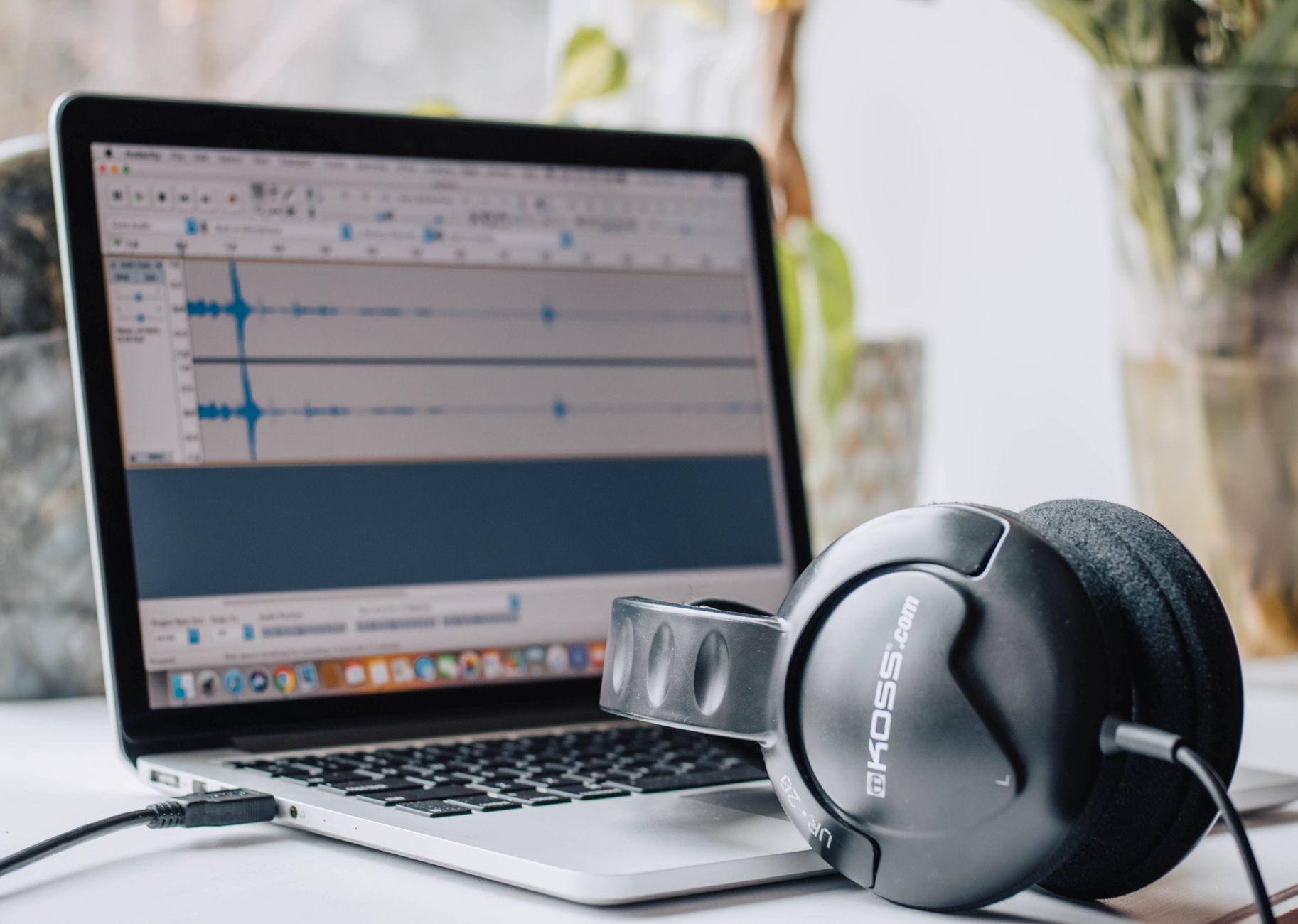
Photo by Layla Yehia
Give the tool a glossary before you begin if it supports custom vocabulary. Add your name, co-host names, recurring guest names, sponsor names, products, and unusual terms. Then spot-check the opening, ad read, names, numbers, and closing call to action. Those sections create the most visible errors.
Clean up the transcript for readers, not merely for accuracy scores. Remove repeated verbal tics when they don’t change meaning. Keep meaningful pauses or interruptions if they explain the conversation. A transcript should read naturally while staying faithful to what people said.
Turn one transcript into publish-ready assets
A finished transcript becomes more useful when you set a repeatable review order. Start with the audio edit, because later text needs to match the final episode. Then generate or revise the audio transcription after your final cut to ensure maximum alignment.
Next, correct speaker labels and key terms. Once the transcript is clean, create show notes with a short episode summary, guest bio, resource links, and timestamped sections. Don’t let an AI draft invent recommendations or links. Verify every claim against the recording or the guest’s materials.
Captions come next for video clips. Keep lines short, time them to speech, export your file in the correct SRT format, and review the first seconds closely. The opening needs to make sense without sound. A verbatim caption can be less readable than a lightly edited one, but it must not change the speaker’s meaning.
Finally, pull clips from moments with a complete idea. A strong clip contains enough context to stand alone, even when viewers haven’t heard the episode. Castmagic and similar tools can suggest excerpts, while Descript makes it easier to trim them with flexible export options for your final assets. Your editorial judgment decides whether the moment earns a post.
The broader tool stack matters here. This overview of AI tools for podcasters covers transcription alongside recording, editing, publishing, and promotion tasks. Keep each tool focused on the task it performs well, rather than forcing one subscription to handle every stage.
Pricing and privacy checks before you commit
Monthly pricing can look harmless until you multiply it by multiple shows, team members, and archived episodes. Calculate your actual audio hours each month. Then compare a subscription against pay-as-you-go transcription, a free plan, and the labor cost of transcript correction.
A weekly 60-minute podcast produces about four hours of source audio every month. That volume may fit a low-cost monthly plan. A network processing dozens of episodes may get better value from a volume service, local Whisper workflow, or a custom API setup.
Privacy also deserves attention. Ask where audio files are stored, whether the provider uses uploads to improve models, how long exports remain available, and whether you can delete source media. Client podcasts, unreleased interviews, sensitive recorded calls, and paid communities may need a local, enterprise-oriented, or HIPAA compliant option.
Test the same five-minute excerpt in two or three services. Pick a passage with cross-talk, a difficult name, and normal conversational pacing. Compare the transcripts for the errors you actually care about. That small trial tells you more than a headline accuracy percentage.
Frequently Asked Questions
How accurate are AI transcription tools for podcasts?
Most modern AI transcription tools achieve 90% to 95% accuracy on clean audio, but results drop significantly with background noise or cross-talk. Proper microphone placement and speaker diarization help, but you will still need a human review pass for proper nouns, technical terms, and numbers.
Can I use AI transcription to edit my podcast audio?
Yes, tools like Descript let you edit your podcast audio simply by editing the text transcript. When you delete a sentence or word in the transcript, the corresponding audio or video is removed automatically.
Should I choose a subscription model or pay-as-you-go transcription?
If you publish high-volume episodes regularly, a predictable monthly subscription like TurboScribe or Descript usually offers the best value. For occasional episodes or massive back catalogs, pay-as-you-go APIs like OpenAI Whisper or usage-based billing are often more economical.
Final thoughts
The best AI transcription tools for podcasters reduce repetitive work without taking editorial control away from you. Descript suits edit-first productions, Castmagic helps repurpose episodes, and Whisper or TurboScribe make economical sense when you need to quickly convert audio to text.
Accuracy starts with clean audio and ends with a human review of names, numbers, speaker labels, and key quotes. A useful transcript is more than a simple text file, it is a dependable source for show notes, captions, clips, and searchable episode pages. When you rely on accurate AI transcripts, you can streamline your post-production workflow and focus on creating better content.
Artificial Intelligence 2026: What It Does and Where It Fits


