One person can run an inbox, sales pipeline, client delivery, content calendar, and bookkeeping, but only for so long before repetitive work eats the week.
AI automation workflows move information between existing business applications while artificial intelligence interprets, classifies, summarizes, and drafts when fixed rules fall short. The goal is to recover focused time without handing your reputation, customer relationships, or private data to an unchecked bot.
Key Takeaways
- AI automation workflows combine predictable rules with AI-based interpretation, summarization, classification, and drafting for unstructured business information.
- The best workflows start with one repetitive, low-risk process and include a clear trigger, required information, action, exception path, and human approval for important decisions.
- Solo operators can save time by qualifying leads, organizing research, converting meetings into follow-up tasks, and extracting routine data from documents.
- Protect brand voice, privacy, and customer trust by grounding AI in approved business knowledge, limiting permissions, reviewing sensitive outputs, and keeping high-impact decisions human-led.
- Compare automation tools by total process cost—including workflow runs, AI credits, storage, overages, and review time—and monitor performance before expanding.
What Makes AI Workflows Different From Ordinary Automation
Traditional workflow automation follows a fixed instruction. When someone submits a form, add their details to a CRM. When an invoice arrives, save the attachment in a folder. These systems are useful because the inputs and actions are predictable.
AI adds judgment to the middle of that process. Large language models can read an inquiry, identify the service requested, pull out a deadline, and route it to the right follow-up path. Using natural language processing, they can summarize a call transcript, sort customer feedback by theme, or turn research notes into a usable brief. This differs from machine learning algorithms designed for narrower patterns or predictions.
That flexibility also creates risk. A rule-based workflow either runs or fails. An AI step can produce a polished response that misses context, invents a detail, or uses a tone that doesn’t sound like you. For that reason, the best workflows separate low-risk interpretation from high-risk decisions.
Use AI when a task involves unstructured material, such as emails, PDFs, transcripts, open-ended form responses, and research notes. Keep a conventional rule for clear, repeatable actions such as tagging a paid invoice or updating an appointment status.
An AI step should produce a draft, a confidence signal, or a route to a human-in-the-loop review, not an untraceable decision about a customer, price, payment, or contract.
A useful workflow has four parts: a trigger, the information it needs, one clear action, and an exception path. This structure supports business process automation while preserving room for judgment. If a client email lacks required information, the workflow should flag it for you instead of guessing. That simple guardrail prevents many expensive mistakes.
Choosing AI Automation Workflows That Fit a Solo Business
Your existing tools matter more than an impressive feature list. Start with the apps where work already gets stuck, such as Gmail, Google Drive, Notion, HubSpot, QuickBooks, Calendly, Stripe, or a form builder. When comparing workflow automation tools, weigh pricing plans against software integration needs and available integration templates.
A 2026 comparison of approachable automation platforms includes Zapier, Make, n8n, Gumloop, and Lindy. These workflow automation tools overlap, yet their pricing plans suit different levels of technical comfort and control.
| Platform type | A good fit when | Watch for |
|---|---|---|
| Zapier | You want a quick, beginner-friendly connection between common business apps. | Task limits can rise quickly when a workflow has many actions. |
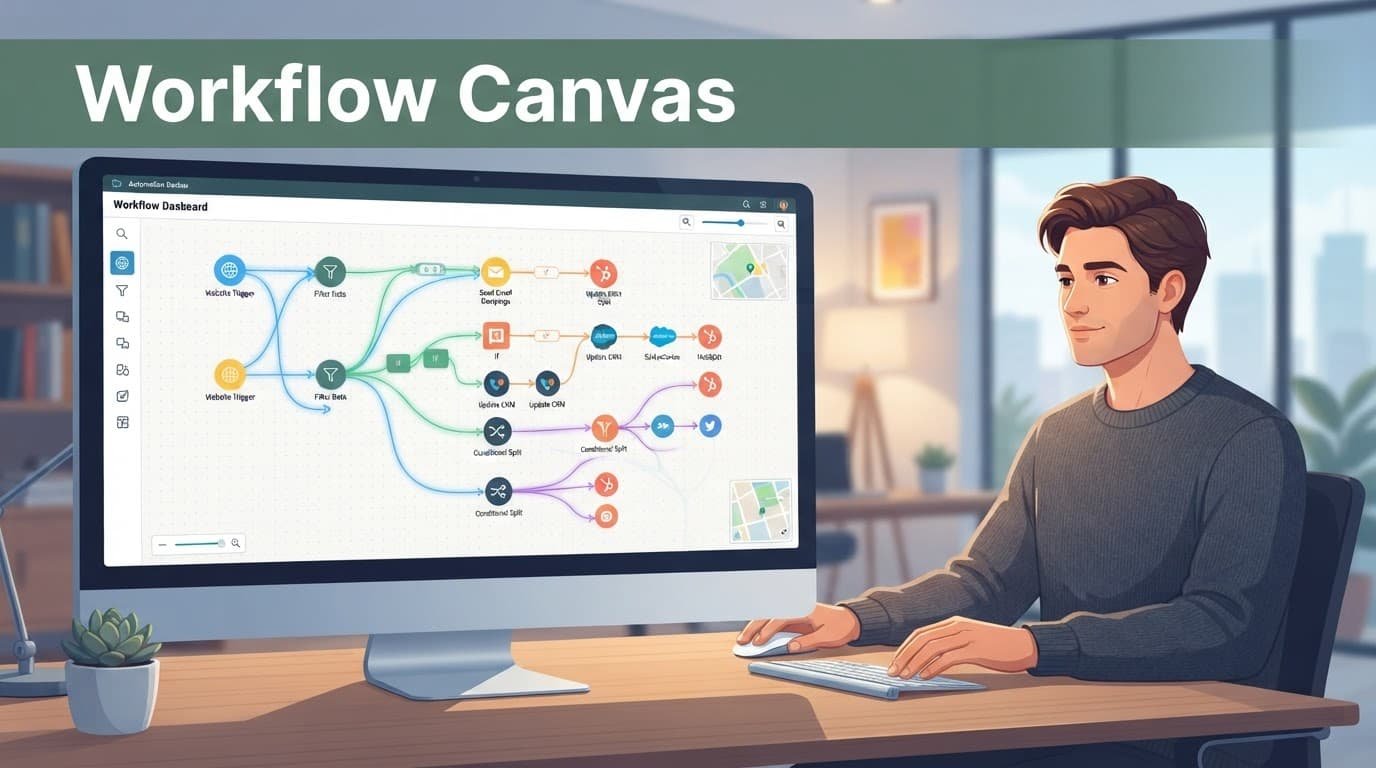
| Make | You need a visual workflow builder for branching, filters, routers, and data transformation. | Complex scenarios need clear error handling and documentation. |
| n8n | You want open-source automation, custom API work, or JavaScript and Python steps. | Setup, updates, and security need more technical ownership. |
| AI-native builders such as Gumloop | You want approachable no-code tools for research, extraction, or AI-assisted workflows. | Credit-based charges and model settings need close monitoring. |
| Pipedream | You are comfortable with API integrations and custom code. | It is less approachable for a first no-code build. |
Zapier suits straightforward form-to-CRM workflows, keeping workflow automation approachable despite task limits in its pricing plans. Make gives you visual control for routing and cleanup, while its pricing plans should reflect branching operations. Meanwhile, n8n suits technical teams seeking self-hosting and control over data movement, with pricing plans to compare against ownership costs.
Don’t buy a platform because it promises autonomous AI agents. Start with one painful process and confirm that the tool can support workflow automation across your current stack. A low-code automation comparison, such as a low-code AI workflow tool comparison, can show whether a platform supports testing and evaluations, not only shiny templates. Check pricing plans alongside those capabilities before choosing.
Four Workflow Patterns That Save Solo Operators Real Time
The strongest starting workflows reduce administrative drag while leaving you in charge of meaningful decisions. These workflow automation patterns can begin with a basic app connection, then gain an AI step once the process is stable.

Qualify new leads without cold, generic replies
A website form can trigger task automation that sends a prospect’s details to your CRM, creates a follow-up task, and notifies you in Slack or email. An AI step can classify the inquiry by service, budget range, urgency, and fit with your stated criteria.
The useful output is a concise internal summary and a response draft. You still approve any message that discusses pricing, availability, project scope, or promises. For lower-fit inquiries, prepare a helpful, respectful template rather than a dismissive auto-reply.
This workflow works because it removes copy-and-paste work while keeping the relationship personal. It also gives you a consistent way to track why leads convert or stall.
Turn research into a reviewed content queue
Creators and consultants often lose hours gathering articles, competitor updates, customer questions, and source material. A workflow can collect links from chosen feeds, saved bookmarks, newsletters, or a form. The AI can then summarize each item, identify the source, and suggest a content angle.
Keep the source links beside every summary. Don’t let an AI tool turn secondhand claims into publishable facts without checking the original material. You should choose the topic, validate claims, and write the final viewpoint in your own voice.
A 2026 overview of AI automation tools can help identify categories such as document processing, communication support, and research assistance. Still, one reliable research workflow beats a pile of disconnected subscriptions.
Convert meetings into client follow-through
After a client call, a transcript can go into a workspace such as Notion or ClickUp. The workflow can draft action items, suggest deadlines mentioned during the meeting, and prepare a recap email.
Before sending anything, compare the draft with the conversation. Meetings often contain tentative ideas, changing priorities, or casual comments that should never become a formal commitment. Your approval protects both the client relationship and your workload.
For recurring internal calls, these automated workflows can update a project board and remind you about open tasks. Give each task a named owner, even if that owner is you. A task without an owner is usually a note, not a plan.
Extract routine data from documents
Freelancers often receive invoices, purchase confirmations, contracts, and expense receipts through email. AI can pull basic fields such as vendor name, date, total, due date, and category. The workflow can place those details into a review queue or accounting draft.
Don’t let it approve payments, file tax returns, or classify unusual expenses without review. Document layouts vary, and small extraction errors can create larger bookkeeping problems later. A human check is quick when the automation presents the original file beside the extracted data.
Ground AI Replies in Approved Business Knowledge
A language model has broad general knowledge, yet it doesn’t automatically know your current services, policies, brand terms, or client rules. Retrieval-augmented generation, often called RAG, addresses part of that gap.
With workflow automation, the system searches a selected knowledge base before the model drafts a response. It might retrieve the latest service guide, refund policy, workshop details, FAQ, or approved case studies. Natural language processing helps the model interpret those sources and use them in a reply or answer.
This setup is better than pasting your entire business into one giant prompt. It also makes updates easier. Replace one old policy document, and future replies can reference the new version.
Keep the source library narrow and clean. Add dates to documents, remove superseded policies, and separate public-facing material from private client files. A customer support assistant shouldn’t search through every contract or personal note by default.
Grounding reduces made-up answers, but it doesn’t remove the need to check whether the retrieved source is current, relevant, and appropriate to share.
Treat prompts like operating instructions, with prompt engineering focused on clear, approved guidance. Store the approved version in one place, describe the intended tone, and state what the AI must never claim. Then test changes against a small set of real past requests before publishing them. The growing focus on evaluation tools in AI workflow platforms reflects a simple truth: a prompt change can alter customer-facing behavior.
Keep Brand Voice, Privacy, and Judgment Human-Led
Workflow automation works best when it handles repetition rather than replacing responsibility. A human-in-the-loop review keeps judgment with you. Customers should still feel that a real person understands their issue, especially when money, disappointment, or personal information is involved.

These tasks are generally good candidates for automation:
- Sorting inquiries, extracting routine fields, scheduling reminders, and creating internal task drafts are low-risk administrative work.
- Summarizing your own notes, finding repeat questions, and preparing first drafts can save time when you review the output.
- Sending order updates or appointment reminders works well when messages use verified data and tested templates.
Keep these decisions in human hands:
- You should approve quotes, negotiate contracts, handle disputes, give legal or financial advice, and respond to sensitive complaints yourself.
- Review public posts, testimonials, case studies, and sensitive customer messages before they go live.
- Never let AI agents delete records, issue refunds, change pricing, or send mass outreach without a clear approval gate.
Set access permissions narrowly with role-based access control. Give each connected app only the data and permissions needed for its job. Lower-cost pricing plans may not provide the same audit, permission, or data-control features. Use separate accounts or restricted folders for automations, protect API keys, turn on multi-factor authentication, and remove connections you no longer use.
Larger teams may need formal audit logs, vendor reviews, retention rules, and role-based access control for security and compliance. An enterprise governance guide shows how much governance matters once automated systems touch sensitive operations. A solo business can apply the same principle in a lighter form: collect less data, expose less data, and review what leaves your business.
Price the Workflow, Not the Monthly Subscription
A low entry price can hide a costly process, especially when pricing plans exclude review time. Compare workflow automation tools by total process cost, not just the entry price.
Traditional platforms often charge for tasks, operations, or executions. Their pricing plans may also set task limits or add overage fees.
AI-focused tools may also charge credits for model calls, document extraction, web research, storage, or agent runs. Their pricing plans can limit credits, storage, or included runs, with overages billed separately.
Execution-based pricing plans are easier to forecast when each workflow has fixed steps and clear task limits. In workflow automation, 100 submissions can each create a CRM record, send a notification, and create a task. That makes monthly volume easy to estimate.
Credit-based pricing is less predictable because complexity changes the cost across pricing plans. A short classification request may use few credits, while a long PDF, repeated retries, or web research can consume far more. Read the billing definition before switching on a workflow, especially how it counts credits and charges overages.
Use this simple monthly estimate:
Builder fee + workflow runs + chargeable actions + AI credits + storage or external services + time spent reviewing exceptions
Track the numbers for 30 to 90 days before you expand the automation. Add a budget alert and a cap if the platform allows it. Also measure the cost of failures. Workflow automation that needs daily repair isn’t cheap, even if the software plan is free.
As your business grows, enterprise products might become relevant. A comparison of enterprise automation options includes tools such as ServiceNow, Microsoft Power Automate, Appian, and Pega. Their pricing plans often reflect larger teams and governance needs. Most one-person businesses don’t need that weight yet. They need a dependable process, clear records, and a cost they can understand.
Build Your First Workflow in Four Deliberate Steps
Begin with the work you repeat every week and dislike every time. Map it as a business process automation opportunity, then validate the process before comparing pricing plans. Good task automation candidates include copying lead details, preparing meeting notes, chasing missing information, or filing routine documents.
- Track the process for one or two weeks. Write down the trigger, each app you touch, the information you copy, and the final result. Count how often it happens. A process that occurs twice a year isn’t a priority.
- Draw the smallest workable flow. Define the trigger, required data, action, API integrations, connected apps, and stop conditions for multi-step workflows. For example, a form submission creates a CRM contact and drafts a reply. It stops when the message contains unclear requirements or a sensitive request.
- Run it in draft mode first, especially when AI agents are involved. Test it against 20 past examples if possible. Check labels, summaries, links, calculations, tone, and routing. Keep a record of every error, and require a human-in-the-loop approval gate before activation. Improve the instructions or rules before switching it on.
- Review the workflow automation every month. Use data analysis to assess failed runs, unusual costs, and customer feedback. Check security and compliance when app permissions or data handling change. Recheck pricing plans when usage changes, and remove steps that don’t save time. Add a human approval point whenever the workflow reaches an important customer decision.
Write a short operating note for each of your automated workflows. Include its purpose, data sources, connected accounts, relevant pricing plans, spending limit, owner, and fallback process. When something breaks on a busy day, that note is far more useful than trying to remember how you built it months ago.
Frequently Asked Questions
What are AI automation workflows?
AI automation workflows move information between business applications while using artificial intelligence to interpret, classify, summarize, or draft content. They combine conventional rules for predictable actions with AI steps for unstructured information such as emails, transcripts, documents, and research notes.
Which AI automation workflows are best for a one-person business?
Start with repetitive, low-risk processes such as lead qualification, research collection, meeting follow-up, and routine document extraction. These workflows reduce administrative work while allowing you to review messages, commitments, payments, and other important decisions.
Should AI workflows run without human approval?
AI workflows should generally produce drafts, confidence signals, or review queues rather than making untraceable decisions about customers, pricing, payments, or contracts. Human approval is especially important for sensitive complaints, legal or financial advice, refunds, public content, and changes to customer commitments.
How can I keep AI-generated replies accurate and on-brand?
Ground the AI in a narrow, current library of approved service information, policies, FAQs, and case studies. Store clear instructions about tone and prohibited claims, then test changes against real past requests and review customer-facing drafts before they are sent.
How much do AI automation workflows cost?
Estimate the full process cost, including the builder fee, workflow runs, chargeable actions, AI credits, storage, external services, and time spent reviewing exceptions. Track actual usage for 30 to 90 days, set budget alerts or caps where possible, and include the cost of failures and repairs.
A Better One-Person Business Has Better Boundaries
AI can handle the repetitive edges of your work, but customers still choose you for judgment, taste, accountability, and trust. Thoughtful workflow automation gives you more time for those human parts and helps protect your boundaries.
Start with one narrow process, watch it closely, and improve it before adding another. AI automation workflows earn their place when they make your business more reliable without letting automated workflows make it feel less personal.
Artificial Intelligence 2026: What It Does and Where It Fits