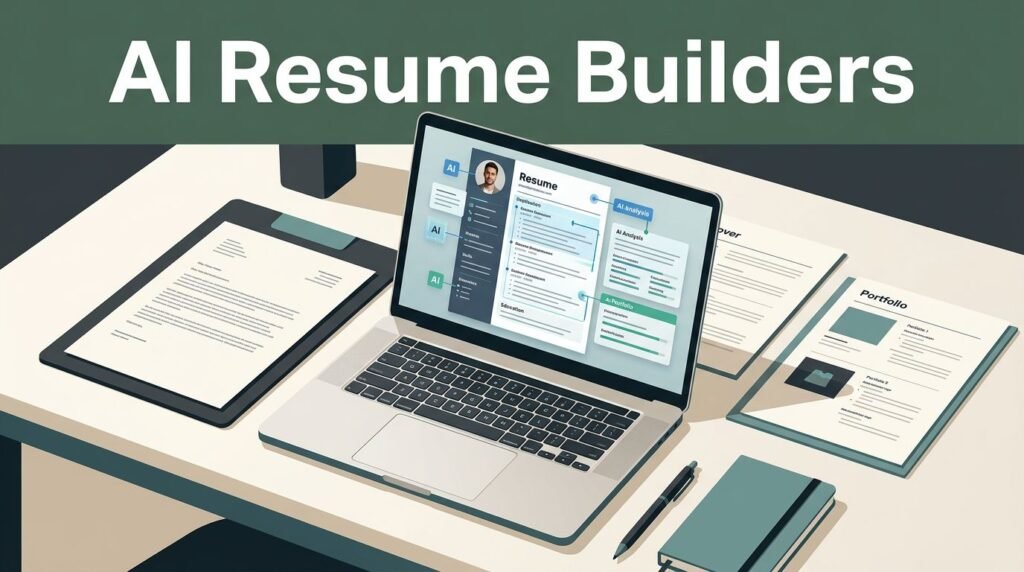

A resume can fail before a hiring manager ever sees it. Every modern job application involves navigating an applicant tracking system that scans for relevant skills, readable structure, and job-specific language, while recruiters often spend only seconds on an initial review.
The strongest AI resume builders help you turn your real experience into a focused, tailored document without starting from a blank page. These tools can save significant time, but they cannot verify whether a claim is true or whether a resume accurately reflects the role you actually want.
The right tool depends on how you apply, how much guidance you need, and whether you need one polished resume or several targeted versions.
Key Takeaways
- AI resume builders work best when you supply accurate career details and focus on tailoring your resume to fit the specific requirements of a job posting.
- Teal and Rezi are strong options for job seekers who prioritize ATS-friendly templates and need specific keyword guidance to pass screening software.
- Kickresume and Enhancv suit people who need design flexibility, writing examples, and help expressing a compelling career story.
- Jobscan and Resume Worded are useful review tools when you already have a draft and want practical feedback to improve your impact.
- Always verify AI-generated dates, numbers, job titles, certifications, employers, and skill claims before sending a resume to any potential employer.
What AI Resume Builders Can and Cannot Do
An AI resume builder usually combines a resume editor with writing assistance. You enter your work experience, education, skills, and target roles. The tool then suggests bullet points, professional summaries, keywords, and layouts to help you stand out.
That sounds simple, but the quality of the output depends entirely on the information you provide. AI can turn “helped customers” into a clearer achievement statement. It cannot know whether you resolved 30 tickets a day, improved customer satisfaction, or used a particular CRM system unless you tell it.
Most good tools help in four practical ways:
- They function as a resume bullet point generator, turning rough notes into stronger statements filled with action verbs and measurable outcomes.
- They compare your resume with a job description and identify relevant missing terms.
- They keep formatting consistent when you create several resume versions.
- They flag common problems, such as vague summaries, weak verbs, dense paragraphs, or missing skills.
However, AI-generated content can sound polished while being inaccurate. It may infer tools you never used, add inflated metrics, or convert a temporary duty into a formal responsibility. A sentence that reads well is not automatically safe to submit.
Treat AI suggestions as first drafts, not verified career history.
For example, an assistant might write, “Increased customer retention by 18% through proactive account management.” Unless you can explain where that number came from, remove it. Replace it with a real result, such as “Managed renewal outreach for a portfolio of small-business accounts.”
This caution matters more in 2026 because employers can quickly test claims in interviews. A resume should give you useful talking points, not create facts you must defend later.

Photo by Alfredo Lau-Tam
How to Choose an AI Resume Builder
The best platform is not always the one with the flashiest templates. Start with the kind of job search you have.
A recent graduate may need help translating coursework, internships, student leadership, and projects into employer-friendly language. Someone changing careers may need to emphasize transferable skills and reduce attention on an unrelated job title. An experienced professional may care more about tailoring, version control, and executive-level phrasing.
Look at these factors before committing to a paid plan.
| What to Compare | Why It Matters | Best Fit |
|---|---|---|
| ATS-friendly templates | Simple layouts are easier for parsing software to read | Most corporate and online applications |
| Job description matching | Helps surface relevant skills and terms | High-volume applications |
| AI writing support | Improves bullet points and summaries | New graduates and career changers |
| Resume tracking | Keeps tailored versions organized | Active job seekers |
| Design controls | Helps create a distinctive visual resume | Creative and client-facing roles |
| Export options | PDF and DOCX may matter for different portals | Anyone applying broadly |
A professional resume template should always win over novelty. Multi-column layouts, graphics, icons, charts, and decorative sidebars can look attractive, yet some application systems read them poorly. For effective ATS optimization, you should prioritize simple layouts. If you apply through employer portals, use a conventional one-column format with standard headings such as Experience, Education, Skills, and Certifications.
The U.S. Department of Labor’s resume guidance also stresses clear organization and relevant accomplishments. AI can help you write those accomplishments and tailor your content to match specific job descriptions, but it does not replace your own judgment.
Cost matters, too. Many resume platforms offer free basic access while reserving exports, matching tools, advanced templates, or unlimited AI credits for paid tiers. Check the current plan details before entering payment information, as pricing and feature limits change often.
AI Resume Builders Worth Considering in 2026
No single tool fits every applicant. Each option below has a different strength, and several work better together than alone.
Teal for Tailoring and Job Search Organization
Teal’s AI Resume Builder is a practical choice for applicants who tailor their resume frequently. Its broader workspace functions as a comprehensive job application tracker that lets you save roles, track applications, and even sync with your LinkedIn profile to ensure your data remains consistent.
That organization solves a common problem. After applying to 20 or 30 jobs, it becomes easy to lose track of which summary, skills section, or bullet points you submitted. Teal helps you keep those versions connected to specific job listings.
The writing tools are useful when you have a basic draft but need sharper bullets. Start with plain facts, then ask for alternatives that match the position. If a job description emphasizes onboarding, customer education, or stakeholder communication, use the suggestions to identify legitimate experience you can foreground.
Teal is especially helpful for applicants with a long search ahead. It can feel like more workspace than a person needs for a single application, though. If you only need a one-page resume for a few applications, a simpler builder may be faster.
Rezi for ATS-Focused Resume Structure
Rezi focuses heavily on ATS-friendly resume creation. Its GPT-4 powered technology encourages users to build standard sections and improve content with AI suggestions. That structure appeals to job seekers who want less design decision-making and more focus on precise keyword targeting.
Rezi can be a strong match for corporate roles, technology positions, operations jobs, healthcare administration, and other searches where applicants submit through online portals. Its cleaner templates keep attention on job titles, achievements, qualifications, and keywords.
A keyword score can guide revision, but do not chase every phrase. Some postings contain internal language, overly broad requirements, or terms unrelated to your background. Include terms only when they accurately describe work you have done.
For instance, a project coordinator who supported Agile teams can mention sprint planning or Jira if those were part of the role. Adding “Scrum Master” because it appears repeatedly in a posting would be misleading without the job function or certification.
Rezi’s focused approach may feel limiting if you want heavy visual customization. Still, its constraints can help applicants avoid format choices that make a resume harder to scan.
Kickresume for First Drafts and Career Storytelling
Kickresume’s AI Resume Writer is useful when your biggest hurdle is writing. It offers professional templates, a wide variety of resume samples, a helpful cover letter generator, and AI-assisted content generation.
Recent graduates may appreciate the examples because they show how experience can be framed without years of full-time employment. A capstone project, campus job, volunteer role, research assistantship, or internship can earn space when it relates to the target position.
Career changers can also use Kickresume to rethink the top half of a resume. Your professional summary should connect past work to the job you want now. A retail manager moving into customer success, for example, can highlight account relationships, staff coaching, issue resolution, sales targets, and customer feedback.
Do not let a generated summary become a bundle of generic claims. Phrases such as “results-driven professional” or “dynamic team player” take up room without showing evidence. Add a specific direction, a relevant strength, and proof from your work history.
Kickresume’s template range is a benefit for applications sent directly by email or shared as a portfolio attachment. For strict ATS submissions, choose its most straightforward layout.
Enhancv for Design-Conscious Professionals
Enhancv blends resume writing tools with more visual presentation options. It works well for designers, marketers, communications professionals, account managers, and others whose resumes may be reviewed directly by people. Each professional resume template offered by the platform is designed to make your experience stand out visually.
The platform encourages personal details such as achievements, strengths, and selected interests. Those additions can make sense when they support your professional identity. A product designer might list a portfolio, accessibility work, or design community leadership. A software engineer generally gains more from a strong projects section and a GitHub link.
Visual resumes require restraint. Use whitespace, readable fonts, and a logical hierarchy. Avoid a layout that forces hiring teams to hunt for your company names or dates. A resume should feel easy to read at a glance, even when it has personality.
If you submit through an ATS, keep a plain version ready. You can use a more styled Enhancv version for direct networking, recruiter emails, personal websites, or smaller employers that request a PDF.
Jobscan and Resume Worded for Review Feedback
Jobscan and Resume Worded are best viewed as review companions rather than full replacements for a resume builder. Think of them as a diagnostic resume checker where you upload a draft, compare it with a target role, and use the real-time feedback to revise content.
Jobscan is known for comparing a resume against a job description. It provides a resume score and detailed content analysis to show which keywords and skills appear in the role but not in your document. That insight is valuable when a posting uses language you have overlooked.
Resume Worded offers feedback on phrasing, impact, and common resume weaknesses. It can help identify vague bullets, repetition, weak action verbs, and missing outcomes. Its suggestions work best when you read them critically rather than accepting every change.
Neither score should become the final judge of quality. A resume can score well while still sounding robotic. It can also score modestly because you avoided stuffing in irrelevant keywords. Hiring decisions depend on relevance, readability, credibility, and the needs of a particular employer.
The National Association of Colleges and Employers identifies competencies such as communication, teamwork, technology, and career self-development. Use feedback tools to make those strengths visible through real work examples, not as unsupported labels in a skills list.
Build a Better Resume With AI, Step by Step
Start with a source document that contains your complete career history. Include older roles, projects, achievements, tools, certifications, awards, and major responsibilities. This private master file can be longer than two pages because it acts as a comprehensive resource for your entire job search, giving you plenty of material to choose from.
Next, select one job posting to begin tailoring your resume. Read it slowly and highlight the work that repeats. Pay attention to job duties, software, industry terms, required credentials, and measurable goals. Then, match those points against the professional skills and experience you can honestly claim.
Use your AI resume builder to create a tailored draft. Ask it to rewrite rough notes in several ways, but keep the original fact nearby. For example:
- Original note: “Answered billing questions and fixed account problems.”
- Stronger verified bullet: “Resolved billing and account-access issues through phone and email support, documenting cases in Zendesk.”
- Stronger version with a confirmed metric: “Resolved an average of 45 weekly billing and account-access cases in Zendesk while meeting response-time targets.”
The last version is stronger only if the number and system are correct. AI should never create a metric because you asked for an accomplishment-oriented bullet.
After that, check your job titles. If your employer used a confusing internal title, you can clarify it without rewriting history. “Client Success Associate (Customer Support)” may be reasonable if the parenthetical accurately describes the role. Do not rename “Sales Associate” as “Account Executive” just to match a posting.
Finally, export and inspect the resume. Read it on a laptop and phone. Confirm that dates align, bullets wrap cleanly, links work, and no section gets separated awkwardly across pages. A document that looks right in the editor can shift after PDF or DOCX export.
Verify Every Claim Before You Submit
AI tools often write with confidence, even when they lack enough information. Your review process should be methodical to ensure your resume accurately reflects your professional background.
Check every employer name, employment date, degree title, certification, job title, and software platform. Confirm percentages, revenue figures, team sizes, customer counts, cost savings, and productivity numbers against your personal records or reliable memory. When reviewing your work experience, ensure every bullet point accurately describes your past contributions. This is vital because hiring managers will likely drill down into these specific details during the interview process.
Also check your verb tense. Use present tense for your current role and past tense for previous roles. Keep dates consistent, such as “March 2023 to June 2025” or “03/2023 to 06/2025.” Mixed formats make a resume feel less polished.
Be careful with claims about leadership. “Led a team” means you had responsibility for directing people or work. If you contributed to a group project, write “Collaborated with a five-person team” or describe the portion you owned.
Skills need the same honesty. Listing Python, Salesforce, Tableau, Figma, or SQL may invite a technical interview question from hiring managers. If your experience is basic, consider placing it in a “Familiar with” or “Tools” section only when the application allows that distinction.
The Federal Trade Commission’s guidance on job scams is also worth reviewing during a job search. A polished resume should not lead you to share sensitive personal details with an unverified recruiter or suspicious application site.
Make Your Resume Friendly to ATS Software and Humans
ATS compatibility is often misunderstood. Most automated screening systems do not reject every visual resume automatically. Problems arise when a document structure makes key information difficult for the software to parse, which is why effective ATS optimization is essential for your job search.
Use familiar headings to ensure your document is easily readable. Put your contact details in the main document body instead of a header or footer. Avoid text boxes, tables, decorative icons, and graphics in your ATS version. A simple PDF usually works well, though some employers request DOCX files.
Keyword optimization matters, but context matters more. If a job description asks for cross-functional collaboration, show that work in a bullet point. Write about partnering with sales, engineering, finance, operations, or external clients when it is true. A keyword list without evidence does little for a human reviewer.
Your top third deserves the most attention, as this is where automated screening software begins its search for relevance. It should quickly show your target role, relevant experience, strongest skills, and a clear value proposition. An experienced applicant might lead with a short summary and selected competencies. A graduate might lead with education, projects, internships, and technical skills.
Keep each bullet focused on one meaningful contribution. Good bullets often follow a simple pattern: action, task, and outcome. You do not need a number in every line, but measurable results add weight when you have them.
Frequently Asked Questions
Are AI-generated resumes better than those written from scratch?
AI-generated resumes are faster and often more effective at incorporating relevant keywords for applicant tracking systems. However, they lack the personal nuance and verified accuracy that only you can provide, so they should be used as a starting point rather than a final document.
Will an AI-built resume pass an applicant tracking system?
Most top-tier AI resume builders provide ATS-friendly templates that are designed to be parsed easily by screening software. The success of your resume still depends on using standard formatting and accurately reflecting the skills found in the specific job description.
Should I be worried about AI adding false information to my resume?
Yes, it is common for AI tools to infer details or inflate achievements to make a resume sound more impressive. Always verify every date, job title, and metric against your own records before submitting, as you will be responsible for explaining these claims during an interview.
Which AI resume builder is best for beginners?
Platforms like Kickresume and Rezi are excellent for beginners because they offer intuitive interfaces, professional templates, and guided prompts. They help structure your experience in a way that minimizes the need for manual design work while ensuring you cover all essential sections.
Final Thoughts
The best resume builder is the one that helps you apply faster without putting words in your mouth. Whether you are looking for advanced customization or speed, tools like Teal, Rezi, Kickresume, Enhancv, Jobscan, and Resume Worded offer unique solutions for different parts of the job search process. As you explore these AI resume builders, remember that they are meant to assist you rather than replace your own voice.
Use these technologies to organize, revise, and tailor your experience to specific roles. Most importantly, protect the most vital part of your application, your credibility, by verifying every claim before you press submit.